
Choosing an Ai Robot in 2026 means looking beyond polished demonstrations. Buyers need to know what a machine can do repeatedly, where it struggles, and what ownership costs after purchase. A robot that maps a living room well may still stumble over dark rugs, loose cables, or chair legs. Small details matter.
Industry data shows why robotics deserves careful attention. The International Federation of Robotics reported 4.28 million industrial robots operating in factories worldwide in 2023, a 10% increase from 2022. Its World Robotics 2024 service-robot report also recorded nearly 205,000 professional service robots sold in 2023, up 30%. These figures describe broad industry growth, not household demand. Still, they show that robots are moving into more real-world settings, where reliability matters as much as novelty. The reports do not prove that every new consumer robot is useful.
This guide compares ten robots available to buyers in 2026, using practical criteria: core functions, navigation, setup, privacy controls, support, and likely maintenance. Not every category solves the same problem. A robot vacuum may save daily effort, while a companion or educational model may depend more on software updates and interaction quality. Good looks aren’t enough. Product claims also change, and long-term performance can be hard to judge before independent testing accumulates. Treat each pick as a considered option, not a guarantee; match its capabilities to your space, budget, and expectations.
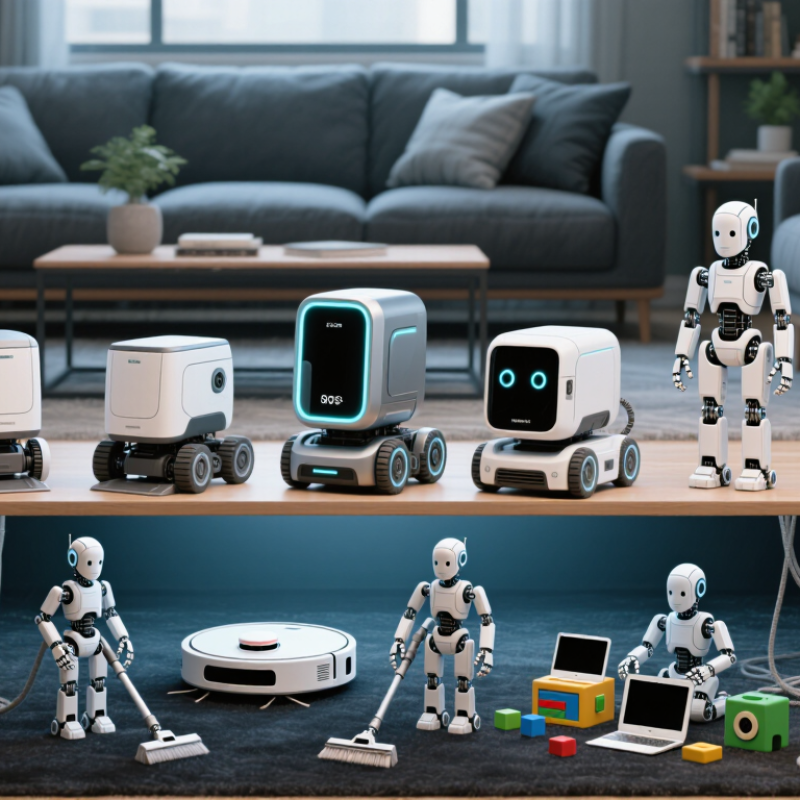
AI robots in 2026 fall into several practical categories, each built for different tasks. Home robots may vacuum, carry small items, or respond to spoken requests. Their value depends on safe navigation, useful sensors, and whether they handle cluttered rooms without constant help. Small wins matter.
Companion robots focus on conversation, reminders, and simple interactive activities. They can support routines, but should not replace human care or professional advice.
Mobile service robots move through offices, hotels, or care facilities, often delivering supplies along predictable routes. Look for obstacle detection, reliable mapping, and clear status alerts.
Education robots introduce coding and problem-solving through hands-on tasks, such as guiding a small robot through a maze.
Industrial models can inspect equipment or move materials, but their usefulness depends on fitting existing workflows and safety procedures. “AI-powered” alone tells little.
Compare capabilities against the job you actually need done. A polished demo is not proof. Ask how the robot behaves when a chair moves, Wi-Fi drops, or a person crosses its path.
Check battery life, maintenance needs, privacy controls, and the cost of required software. Even capable robots make mistakes; some need regular cleaning or human correction.
That is easy to overlook when a feature list sounds impressive.
To judge the 10 best AI robots to buy in 2026, start with the task, not the demo. Can it map a cluttered room, recover after a chair moves, and finish without repeated prompts? Ask for task success rates, operating time, and failure data under realistic conditions. Pretty videos are weak evidence. IFR reported 205,000 professional service robots sold in 2023, up 30% year over year. The figure appears in World Robotics 2024: Service Robots. That growth signals wider adoption, not proof that any particular robot is dependable.
Evaluate safety and trust alongside capability. NIST’s AI Risk Management Framework calls for managing risks throughout design, deployment, and use. For buyers, that means checking collision sensing, emergency stops, data storage, and human override. See whether voice and vision features work offline, what data leaves the device, and how updates are supported. IFR counted 4.28 million industrial robots operating worldwide in 2023, according to World Robotics 2024: Industrial Robots. Reliable performance matters beyond a showroom trial. Compare warranty coverage, repair access, battery replacement, and three-year ownership cost, not just purchase price. One caveat: sales data cannot verify consumer AI claims. Test it yourself.
A brand-neutral, category-level buying guide. Capabilities vary by model, so verify current specifications, software support, and safety features before purchasing.
| Rank | Robot category | Best suited for | Typical autonomy | Common sensing and AI functions | Main limitations | Key buying checks |
|---|---|---|---|---|---|---|
| 1 | Robot vacuum and mop | Routine floor cleaning in homes with mixed floor types | High for mapped rooms; usually needs human help with clutter and maintenance | Room mapping, obstacle detection, scheduled routes, and app-based cleaning controls; features depend on model | Small objects, cords, thresholds, and some rugs can still cause trouble; mopping does not replace deep cleaning | Check mapping quality, obstacle handling, carpet behavior, dock maintenance, replacement parts, and app privacy settings |
| 2 | Robotic lawn mower | Maintaining lawns through frequent, light cuts | High after setup within a supported lawn area | Navigation may use boundary systems, satellite positioning, cameras, or combinations; some models detect obstacles and adjust routes | Steep slopes, narrow passages, wet grass, and complex boundaries can reduce performance; installation requirements vary | Match the rated area and slope to the yard; check boundary setup, weather handling, security, and local service availability |
| 3 | Robotic pool cleaner | Cleaning pool floors and, on some models, walls or waterlines | Medium to high for programmed cleaning cycles | Movement and cleaning patterns are guided by onboard sensors and control software; navigation sophistication varies | May miss debris in unusual pool shapes or corners; filter cleaning and retrieval remain manual tasks | Confirm pool surface compatibility, wall-climbing ability, cable or battery design, filter access, and service options |
| 4 | Window-cleaning robot | Cleaning accessible glass surfaces, especially large windows | Medium; placement and safety setup generally require a person | Edge detection, route planning, and suction or adhesion monitoring may be included | Frames, corners, heavy grime, and uneven surfaces can limit coverage; safety procedures are essential | Check supported glass types, minimum surface size, backup power, tether requirements, and the maker's safety instructions |
| 5 | Educational coding robot | Learning programming, robotics, and basic problem-solving | Low to medium; it follows user-created programs or guided lessons | Depending on the kit, sensors can respond to light, distance, touch, or line markings; software may support block-based coding | Educational value depends on lesson quality and adult support; sensor behavior is simpler than human-like intelligence | Check age suitability, coding progression, included components, device compatibility, and whether lessons require a subscription |
| 6 | Telepresence robot | Remote check-ins, communication, and basic mobile presence at home or work | Low to medium; a remote user commonly controls movement and calls | Video, microphone, speaker, and remote driving; some systems add navigation assistance or obstacle detection | Not a substitute for in-person care; network quality, privacy, and floor accessibility affect usefulness | Review camera privacy controls, connection requirements, accessible routes, call setup, and security update support |
| 7 | Companion or social robot | Entertainment, simple interaction, and reminders or routines on supported models | Low; interaction is generally limited to programmed features and supported services | May use microphones, cameras, touch sensors, speech recognition, or scripted conversational features | Conversation can be limited or inaccurate; capabilities may depend on internet access and ongoing software services | Check data collection, microphone and camera controls, language support, recurring fees, and long-term software availability |
| 8 | Indoor delivery robot | Moving small items across suitable homes, offices, or care facilities | Medium in mapped, accessible indoor spaces | May use cameras, depth sensors, or lidar for localization and obstacle avoidance; many require mapped routes | Stairs, clutter, narrow passages, and closed doors can block travel; payload and navigation are limited | Measure doorways and thresholds; check payload, mapping setup, collision behavior, battery life, and indoor network coverage |
| 9 | Home security patrol robot | Mobile indoor monitoring and scheduled visual checks | Medium for predefined patrols; alerts usually need human review | A mobile camera platform may support remote viewing, motion alerts, and room mapping | Can generate false alerts and cannot physically secure a property; movement and camera coverage may be limited | Assess encryption, recording controls, cloud storage terms, patrol coverage, obstacle handling, and support lifespan |
| 10 | Desktop robotic arm | Hands-on automation, prototyping, and robotics education | Low to medium; tasks often require setup, programming, and a controlled workspace | Position feedback and programmable movement are common; vision or force sensing is model-dependent | Reach, payload, precision, and safe operation are limited; it is not generally a capable household helper | Compare reach, payload, repeatability, software compatibility, safety limits, and included end-effectors |
Evaluation criteria: usefulness for the intended task, practical autonomy, sensing and navigation, safety, maintenance, privacy, software support, and compatibility with the buyer's environment. “AI” features differ widely, and many robots rely on a combination of sensors, programmed rules, and user supervision.
Choosing among the 10 best AI robots to buy in 2026 starts with a real task, not a flashy demo. For indoor chores, consider an adaptive vacuum-mop, a window cleaner, and a kitchen assistant for simple, repeatable preparation. Outside, a mapping lawn mower and a pool-cleaning robot can reduce routine hands-on work. Check obstacle detection, noise, replacement-part access, and whether core functions work without cloud access. That detail matters.
Care and communication needs may suit a companion robot, a telepresence unit, or an indoor patrol robot with clear privacy controls. These devices can offer reminders, remote check-ins, or basic monitoring, but they should not replace human judgment. Test microphone mute switches and camera boundaries in the actual room. For learning, a coding robot and a vision-enabled mobile robot offer hands-on ways to explore programming and navigation.
Before buying, compare demonstrated tasks rather than promised intelligence. Ask whether navigation stays reliable around chair legs, dim corners, pet bowls, and dropped socks. Review battery life, repair options, software support, and data retention terms. AI can stumble. A robot should fail gracefully and explain its limits. One reliable job may beat a clever machine that needs constant rescue.
A practical comparison of AI-enabled robot categories by everyday usefulness, autonomy, and accessibility.
Scores are editorial estimates, not standardized benchmark results or a verified product ranking. Actual features, prices, and availability vary by model and region; compare current specifications before buying.
A useful 2026 shortlist should compare ten roles, not treat every robot as a substitute for human help: floor cleaning, lawn care, pool cleaning, coding practice, classroom instruction, home companionship, telepresence, elder support, indoor delivery, and mobile manipulation. Their performance depends on the task. A vacuum needs reliable mapping around chair legs; a coding robot needs clear feedback after a wrong turn. IFR’s World Robotics 2024 report recorded nearly 20 million consumer service robots sold in 2023, with domestic cleaning among the largest uses. That scale suggests mature options, but not equal quality. Still, check the details.
Price should follow the job. Entry-level learning and companion devices often cost under $500; capable home machines commonly fall between $500 and $2,000. Telepresence and specialized mobile systems can cost several thousand dollars, especially when software or support is extra. These are broad market bands, not fixed quotes. IFR also reported 205,000 professional service robot sales in 2023, up 30 percent year over year. That growth is encouraging, though workplace performance does not guarantee easy home use. Before buying, compare battery life, obstacle handling, repair access, privacy controls, and recurring fees. I would give dependable navigation more weight than a flashy voice demo. It is less exciting, but usually more useful.
Start with one real task, such as cleaning around chair legs or navigating dim corners. A polished demo proves little.
Options include vacuum-mops, window cleaners, lawn mowers, pool cleaners, and kitchen assistants. Each suits a different routine.
Move a chair, place a pet bowl nearby, and watch whether the robot recovers. Repeated prompts are a warning sign.
Check collision sensing, emergency stops, human override, microphone controls, and camera boundaries. Ask what data leaves the device.
Some core features may work offline, but this varies by device. Test the functions you need before buying.
Learning and companion devices often cost under $500. Home machines commonly range from $500 to $2,000, while specialized systems can cost several thousand.
Look beyond the purchase price. Check repair access, replacement batteries, warranty coverage, software support, and recurring fees.
No. They may offer reminders, remote check-ins, or basic monitoring, but people still need to make important decisions.
It should finish a useful task, explain its limits, and fail safely. I may value navigation more than voice features; that is worth reconsidering.

© Copyrights Levil Technology Corp 2022